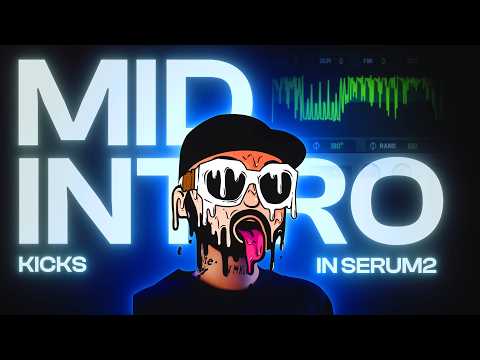






In this tutorial

My notes from this video
I use Serum. Use envelope 2 and 3 to your advantage and have them go to the coarse pitch. That determines the pitch of the waveform. Then I select Analog_BD_Sin. The basic idea is that you generate this sound, render it, normalize it, pogo it and make it shorter.
Then play around with the shape of the envelopes. Envelope 2 is the punchy part. Open it up a lot and you get very laser-y tops. Make it shorter and you get more tonal and clear kicks. So understand what the envelopes are doing in combination with the pogo.

Different octaves are going to result in different kicks. If I render out an A sharp I get this. If I render out something more like a C, it's lower. That will greatly affect your kick.
If you're making a kick in A sharp, you don't really have to worry about using A sharp, because you're going to pogo it anyway. But if you're making a high crunch, it's nice to use a high punch. Then you can blend it in properly without ruining the kick. And when you render it out, make sure the shape looks good.
Grab the render and put it into the mixer. First I add an inflator. If you don't have an inflator, use the Fruity WaveShaper. A soft clipper in front of it as well, because we want to squash the volume. Then add an EQ in front of both. This is where you get to shape the tone of the kick. Add more of a click. Boost the bass and you get a very clipped kick. Pull it back and you let the mids breathe a little bit more. Removing the low mids usually opens up the kick too.
Sometimes you get a sound that's a bit too clipped. Then I squash it and open up the effect of the inflator, and it gets rid of that dirt. Not always, but it's a nice thing to think about. That's how you clean up your kick and make sure it has a lot of power.

One plugin you can always add is Disperser. I'm not smart enough to explain what it does, but it adds a nice movement in the bass or in the punch. It gives you that bouncy effect, especially handy for laser kicks. Focus it on one range and you really affect the punch. Focus it on another and it gives you a bigger crunch.
Then render it out with Edison. I get a longer kick, pull it into FL Studio again and play around with it, and I get a tighter kick. Add it into the same channel again, remove the Disperser, and if it's a bit too high, take down the pitch. Keep putting the kick through pogo and the processing channel and you can create endless kicks.

FL Studio·Serum·Fruity Parametric EQ 2·Fruity Soft Clipper·Sonnox Oxford Inflator·Fruity WaveShaper·Disperser·Edison

Midintro Punches
Get this one free, plus hundreds of harder-style sounds, presets & project files. Unlock our freebie vault.
We only send you harder-style content. Unsubscribe anytime.
Open the Freebie Vault