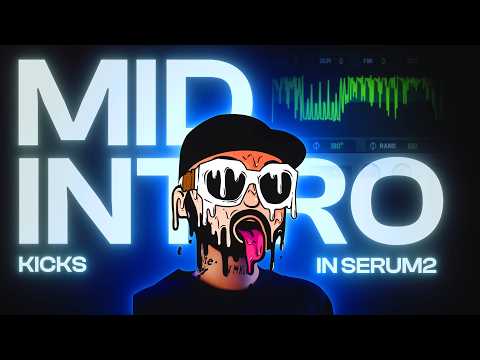






In this tutorial

My notes from this video
I start with the punch in Serum. Start with a sine wave, take envelope 2 and envelope 3 and add them to the coarse pitch. It doesn't really matter how much. Depending on the octave you get different types of punches, and different distortion modes give different punches too. A filter in front of the distortion with one of the flangers cuts into the sound and gives you different tones.
Then render the last note I played, make it shorter, double click it, go to pre-computed effects and enable Pogo to the left. If you don't have FL Studio, get your punch into Nimble Kick and Pogo it there. You get the same effect. Starting with a sound like this and pulling it through Pogo really gets you that nice punch.
For the crunch, put it on a saw wave and turn down the randomization so it always starts at the same phase point. The first thing I always do is add a little bit of distortion, then a filter, and look for a little bit of movement. In global I turn down the width of the oscillator. We don't want it too stereo with too much phasing going on. That generally ruins the kick.
You don't need a very complex crunch. Play it for a very long time, record it in Edison, normalize it and drag it into your project. You can always go back into your crunch after the processing. Get rid of the unison, introduce some white noise, render it again and you get a different kick.
Route the punch into one mixer channel and the crunch into another, then send both into a kick bus. Take the levels down a little bit, because then you can control it more.
Now the blending part. Blending it like this is what I see a lot of people do, and that's one type of midintro kick. If you want to change the bounce of it, try another blend. Listen to it long enough and that could be a kick in itself. Wherever possible, think about the phase. Better to have the punch and the crunch boost each other than cancel each other out.
Take the crunch, add it to another channel and route that into the crunch channel again. That's the crunch reverb. I'm adding ValhallaRoom, but you can use any reverb plugin. Fruity Reeverb 2 gives a certain sound as well. Then OTT with the depth and the downward taken down, and a Fruity Limiter where I automate the gain. Have it follow the crunch slightly, but go down before the end.
An EQ before the limiter cuts the bass and the highs a little bit. Use type low pass instead of just ducking it, because then you're just reducing it instead of removing it. Later the crunch reverb gets a little overwhelmed by the clipping, so I also route it to another kick bus channel. That way I get a dry crunch reverb without all the clipping.

The second trick is a disperser. I'm not smart enough to explain what's going on in the disperser, but it's very nice. Depending on where you focus the frequency, the kick changes. I focus it on the key of the kick, or plus five or plus seven semitones from there. Then you can take it in front of the distortion.
The third trick is LFO Tool. I've used this in the gated kick tutorial too. Get rid of any volume automation and LFOs, add the filter, find a flanger, make sure it's opened and see what happens. With these things you need more drive. It gets very hollow, and that's where you squash it.

FL Studio·Serum·Nimble Kick·Edison·Fruity WaveShaper·Sonnox Oxford Inflator·Fruity Soft Clipper·Fruity Parametric EQ 2·Misstortion 2·ValhallaRoom·Fruity Reeverb 2·OTT·Fruity Limiter·Disperser·LFO Tool

Midintro Kick Template
Get this one free. Want more free harder-style packs? The same signup unlocks our whole Freebie Vault.
We only send you harder-style content. Unsubscribe anytime.
Open the Freebie Vault