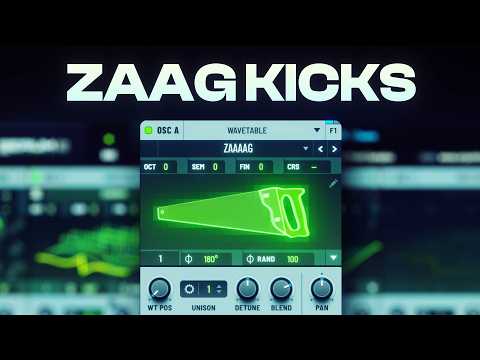






In this tutorial

My notes from this video
Take any sample. It really doesn't matter, you can even take a hi-hat. I just take a part, make it really short and loop it. The tinier it is, the higher it gets.
Then change the pitch. You would think you get a different kick, but that's not the case. The waveforms change, so just the character changes. The actual pitch is determined by how fast these samples are placed next to each other. Sometimes changing it gets you a better kick.
Put the kick in your mixer. The first thing I add is a really big EQ that boosts the mids and high mids. Then Fruity Fast Dist with the pre cranked open, Pro-Q 3, and Fruity WaveShaper, cranked open too. Then I take another Parametric EQ, find the main bass frequency that's now generated and boost it. It's so important that you find that one.
Don't move away from the basic stuff after that. One EQ, the distortion, the bass boosts, the automation and a mono bass. If you add this stuff always, I guarantee you will make good zaag kicks.
There's an issue here. We're working with a stereoized bass, and that's why Pro-Q 3 comes in really handy. Add a band, put the stereo placement on Side and make it a low cut. It's not cutting the frequency. It's telling it everything under 200 Hz is going to be mono. You really need to do this.
If you don't have Pro-Q 3, take Maximus and turn the compressor off in every band. Then go into the lows and change the stereo separation. With the compressors on, it's going to compress instead of clip and totally ruin everything.

Go back into Pro-Q 3 and introduce some harmonics with very small frequency changes. I guarantee you the pros have massive crazy EQs like these, 15, 20 different bells all doing different stuff. That's where you get distinctive in your sound.
Move a band up and down and listen. I like to call it frequency hunting. Don't boost too much, the high frequencies are really painful. Then you can take another Pro-Q on that frequency and play around with the stereo placement, one to the left and one to the right, so the punch gets in the stereo image.

If you want to make a punch in your kick, boost one frequency in Pro-Q 3 and automate it. One automation clip changes the frequency, the other changes the gain. It needs to go up a lot in the beginning and then stop, because we just want to create a punch. Detach Pro-Q so you can see it and find the sweet spot.
That's the key element of this FLP. An automation clip in the beginning that boosts the punch with Pro-Q. Put different samples in and you get different kicks. Sometimes you're lucky and you get a really good one.

FL Studio·Fruity Parametric EQ 2·Fruity Fast Dist·FabFilter Pro-Q 3·Fruity WaveShaper·Fruity Soft Clipper·Maximus

Zaag Kick Template
Get this one free, plus hundreds of harder-style sounds, presets & project files. Unlock our freebie vault.
We only send you harder-style content. Unsubscribe anytime.
Open the Freebie Vault