





My notes from this Short
Render the detuned sound into oscillator B
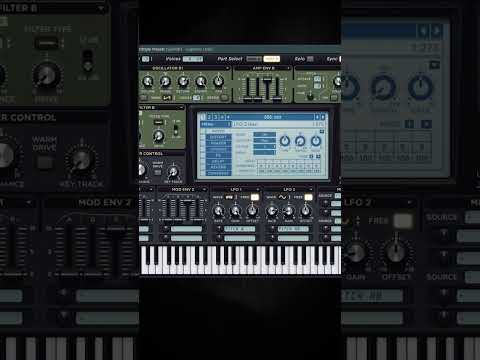
I start with A on 16 voices with a lot of detune, and use envelope 2 to get a pitch down effect. After playing it all the way, I render it and drop it into oscillator B in sample mode.
Disable A to listen to B, and detune it all the way. That gives a weird phase effect, so go to the gear icon and turn on unison random start.

Resample it again and again
Play it all the way and resample. Do that a few times, then normalize it. Make sure you save the sample into your preset.
Being able to resample your detuned sound into a new detuned sound, again and again, is really powerful.
Clarity on top with Hyper/Dimension and chorus
Maybe reintroduce A with fewer voices to save CPU. Change it to a range of 3 with a bit less width, to add some clarity on top of the wildly detuned sample. In the effects, use Hyper/Dimension on a high detune mode with 7 voices, not too much mix and more rate.
The chorus is very powerful as well when you switch it from low pass to high pass filter. Put it at 100% to hear what you're doing, increase the rate, take the delay and depth down, and put the mix at a comfortable spot.

Want more free harder-style packs?
One signup unlocks our whole Freebie Vault: kicks, presets, templates and project files.
We only send you harder-style content. Unsubscribe anytime.
Open the Freebie Vault