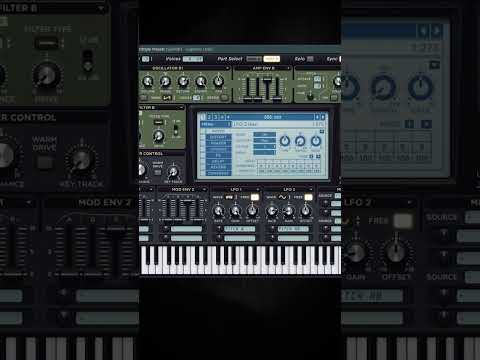






My notes from this Short
Super mode with a wider detune range
First I change the mode from linear to super. If you combine that with a widened range of detune, the outer voices get very detuned, while the middle part is a little bit more contained.
Next, you can also change the way they're stacked in octaves, for example one time, two or three.

Less phase randomization for analog leads
Another thing that's very important is the phase randomization. It selects the area in which Serum can randomly select the phase point of the waveform. If you take that down, it gets a bit more clicky when you have a lot of detuned voices. Use this if you want a bit more analog sounding leads or screeches.
Unison width changes the phasing
Finally, playing around with the width of the unison also makes a very big difference. Add some distortion and you can hear how the voices are phasing together way better.

Want more free harder-style packs?
One signup unlocks our whole Freebie Vault: kicks, presets, templates and project files.
We only send you harder-style content. Unsubscribe anytime.
Open the Freebie Vault